Replace Lost Candy Land® Cards with a Digital Deck
Introduction
If you've ever played Candy Land, you know the struggle—losing cards, spending time shuffling, and dealing with a scattered deck. It's a classic game, but managing the physical deck is a hassle, especially in a busy classroom or with excited kids at home.
That's where GameCardLab comes in! It is the evolved successor to my original tool (CandyCardGame), designed to make gameplay seamless with a digital deck and custom printable options.
The Problem: Lost and Messy Cards
Candy Land is a beloved tradition, but it comes with major pain points:
- Easy to Lose: The 44-card or 64-card decks are small and vanish easily.
- Setup Time: Every game requires manual shuffling and organizing.
- Durability: Physical cards get bent, torn, or sticky over time.
Introducing GameCardLab: The Ultimate Replacement Tool
GameCardLab is a web-based suite that replaces your physical cards entirely. While you still use your actual board, our app handles the deck.
Unlike the old version, GameCardLab now offers:
- Virtual Card Deck: A digital "flipper" that works on any phone, tablet, or smartboard.
- Custom PDF Generator: Paste any word list (sight words, math facts) and print a custom deck that fits your board game.
- Support for All Versions: Choose between the Classic 64-card deck or the Modern 44-card deck.
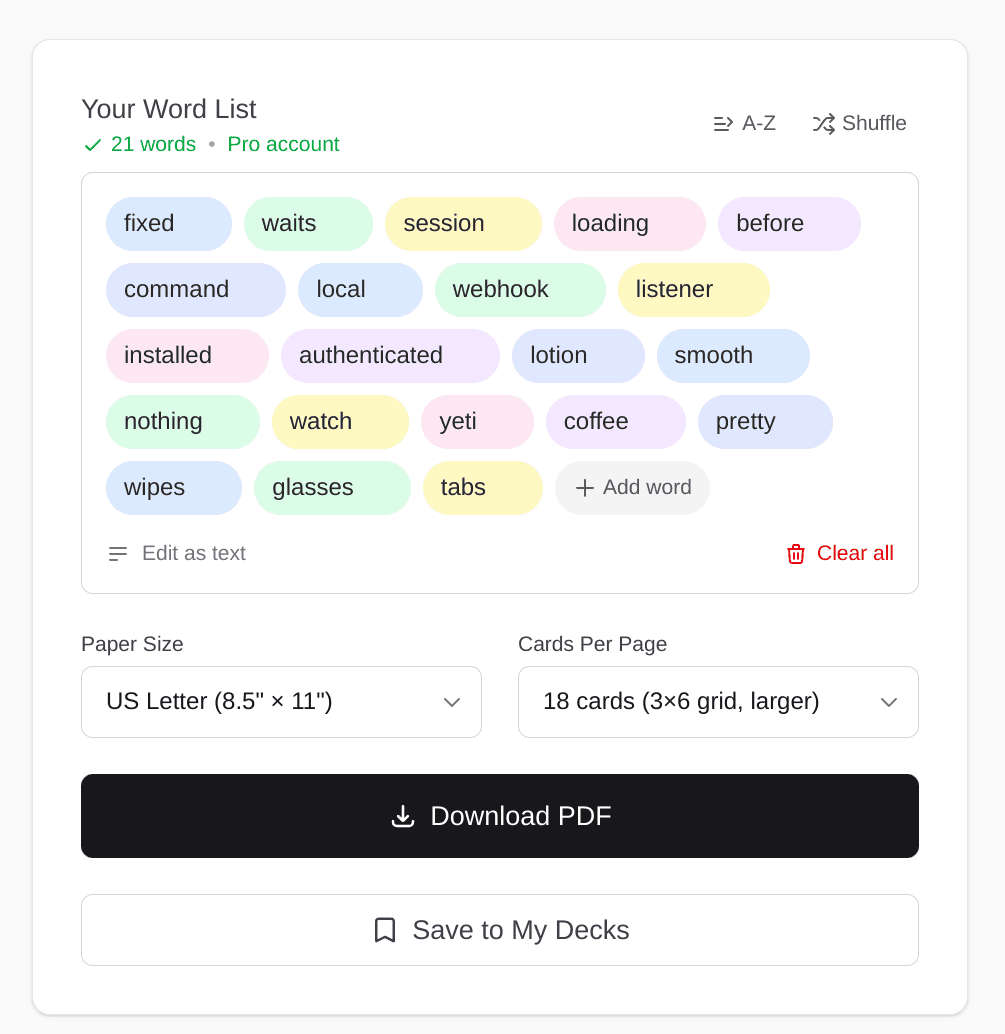
Create custom educational decks with sight words or math facts
How the Digital Deck Works
Using the digital deck at gamecardlab.com/play is incredibly simple:
- Select Your Deck: Choose "Classic" or "Modern" to match your board.
- Tap "Draw": Pick a card instantly with one tap.
- History & Stats: The app tracks your card history and tells you how many cards are left in the deck.
- Shuffle: Restart the game instantly with a single button—no physical shuffling required.
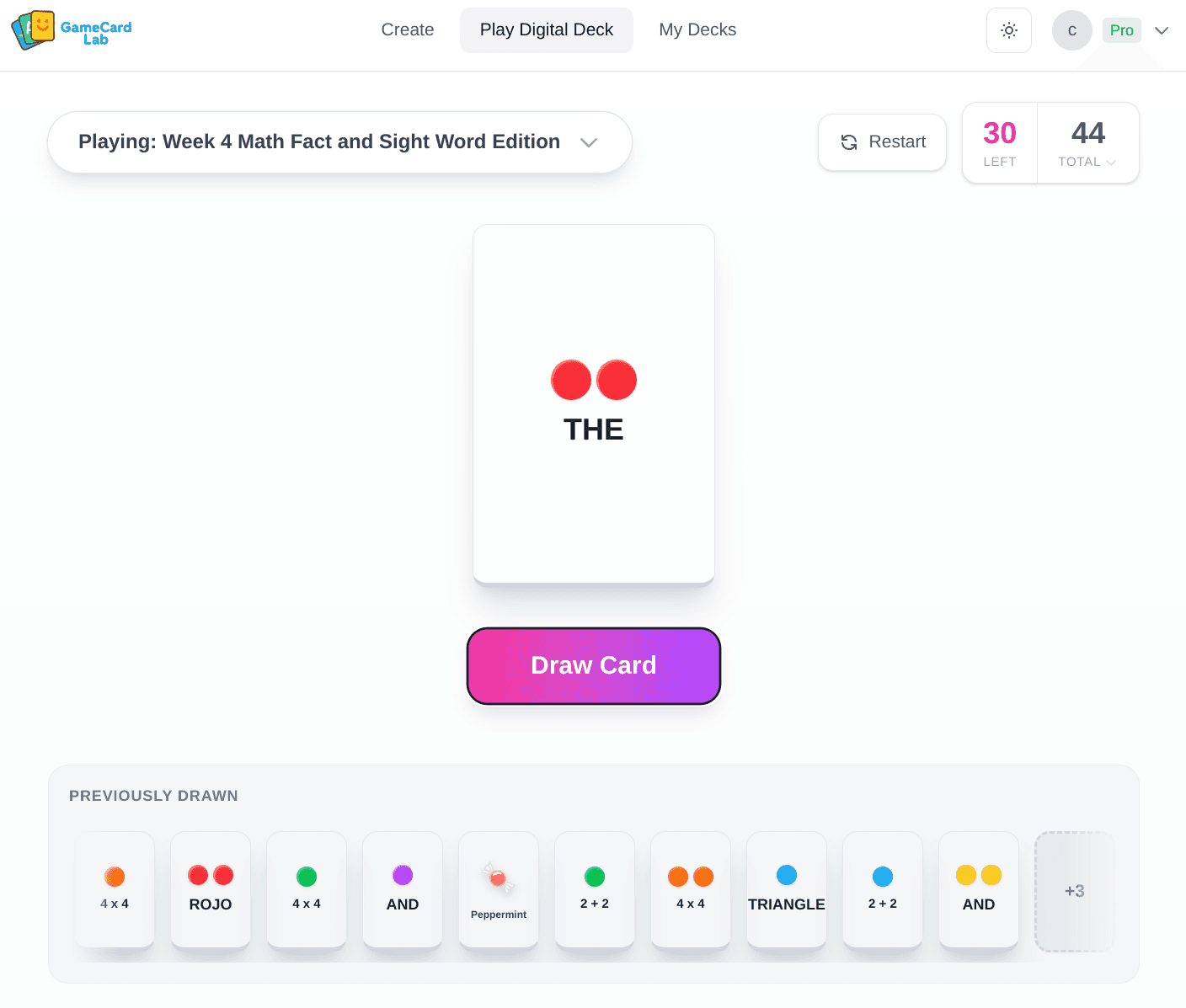
The digital deck interface works on any device
Why Switch to GameCardLab?
- Never Lose a Card Again: Your deck is always available on your device.
- Educational Power: Turn the game into a learning tool by generating decks for sight words or phonics.
- Classroom Ready: Perfect for teachers to use on a large screen or smartboard.
- Completely Free: Use the digital deck or download watermarked PDFs for free.
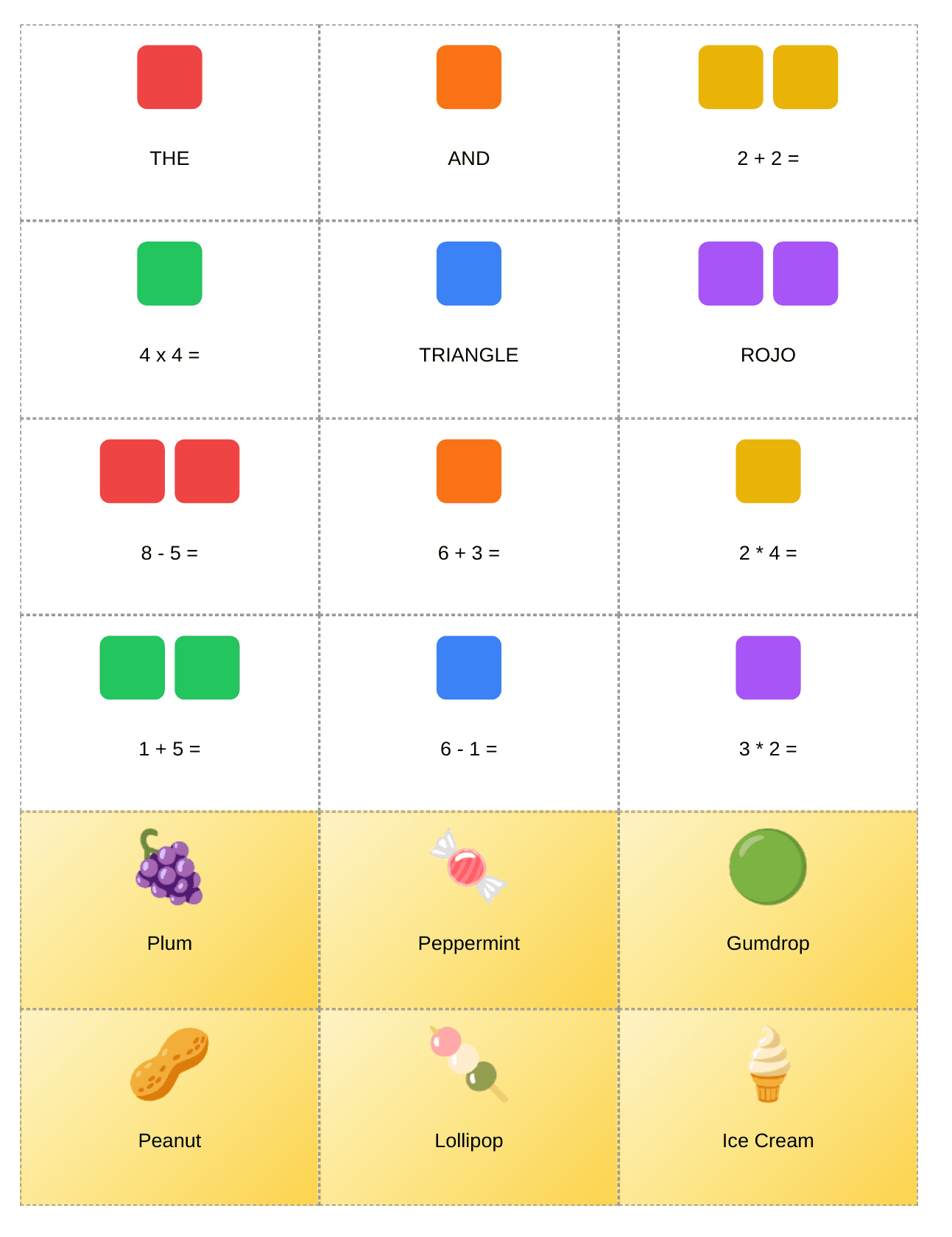
Print-ready cards for classroom or home use
How to Access GameCardLab
There is nothing to download or install. Just visit the link below:
Final Thoughts
Candy Land is a timeless game, but the physical cards don't have to be a source of frustration. Whether you need a quick digital replacement or want to turn your game into a custom educational experience, GameCardLab makes it easier and more fun.